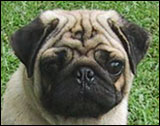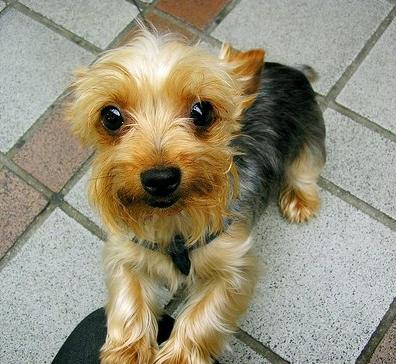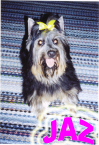
Due to the tight working schedule , I have decide to allow uploading of AVATAR by members. Please ensure that the AVATAR that will be uploaded must meet the following guidelines :-
Please use only your dog picture as AVATAR. We cannot accept anything else such as Cartoon or even cat picture. We want to maintained it at Dog only site.
To add AVATAR, just go to edit profile and browse to upload your AVATAR. Please reduce the size of your pic to about 120 x 120 before uploading.
Those who fail to meet the above guidelines will have their membership suspended or disabled.
aiyah...that was my question too...wanted to try and change but dun dare ler. Mr Khoo gave that kind or warning I also dun wan later my acc get suspended instead....
true, true... later get to see all "DLL" pic which is totally not appropriate at all. at least with this being up, I'm sure that we would be able to see more doggy pics now !
actually IMHO there's nuthing much to worry about, simple conform to the guidelines Mr. Khoo has set and all will be fine.
the guideline states that images must b approx. 120 pixels (width) by 120 pixels (height). simply use any image manipulation software to do the job. U could resize the entire image if that's what u choose or u could crop the particular region that u wanna display, then resize.
Tip: During cropping or resizing pls ensure ur image's mode is set to RGB, this would enable better image quality.
Click on the GIMP icon, the GIMP toolbox will appear
Open Image by selecting from the toolbox's menu "File > Open"
Change image mode to RGB, right click on the image "Image > Mode > RGB"
Decision to crop or not to crop
Crop region
From the tool box (with icons) select the icon which is situated, second row, 4th icon from the left [Crop or resize the image]
Select the image, hold down the left mouse button and drag. While dragging, a popup dialog box will appear. When u r done selecting the region u wish to crop, hit the "crop" button from the popup dialog box
You're done cropping the image
Desire entire image
No actions required
Resize the Image by right clicking on the image, "Image > Scale Image". Alter the "New width" textbox to 120px. The Height will automatically change by the correct ratio
Save file by right clicking on the image, "File > Save As"
hi , i was just curious, after uploading my avatar, i still can't see my avatar... and when i go back to my edit profile and check on my avatar icon, the thing goes back to none icon and i have to browse again to get the pic... i have try this for a few time, but i still can't get the avatar .. do you know what's the problem ? do you know it took ohw long to upload the avatar ???? ~~~ It'S a DoGgY DoG WorLD~~
%%%% ^""'^ %%%% ( ' ; ' ) (")**(") WOW! WOW!
YUMIKO masaki @ cheeky MITCHER boy love's dogs... true dog lover !!! My PETS, My FRIEND, My FAMILY
MY DEAREST MITCHER BOY MUMMY WILL ALWAYS LOVE YOU 13TH MAY 2007
As long as you get your AVATAR to a size close to 120 pixels x 120 pixels, the quality of pic will be good. If you try to upload a big picture without reducing the size, then it will take up unnecessary bandwidth which is not good.
If u noticed, I've just changed my avatar. It worked without a glitch on my side.
yumiko, I assume that u have rezied ur image to the required specifications.
Pls ensure ur image in in the format of either JPEG/JPG, GIF or PNG. Web browsers natively support these 3 formats. If you were to upload a BMP image, only WINDOWS users will be able to see ur avatar. Any other image formats are not / not widely supported by browsers.
If u have gotten your image format correct, try using another browser (again I assume u r using MS Internet Explorer) or upgrade ur MS IE if it is not the latest. I'm not saying that there maybe some faults in the browser u r using, but there's a possibility.
erm ... thanks for the compliment but I'm no pro. to be frank I'm no designer even. but am always glad to extend a helping hand, in this case , it's my pleasure to extend helping words Cheers!
our webmaster has made a very good point which is both factual and practical.
here's a scenario;
Image01 is at resolution 120px by 120px and the file size is 3KB
Image02 is at resolution 800px by 600px and the files size is 150KB
The avatar module is probably set to display images around 120px by 120x or if it's any larger it will do a compression in resolution, not file size. This would mean that although Image02 when viewed from the forum is at 120px by 120px, it is actually 800px by 600px being compressed. This would mean that the page would have to download 150KB of data to view an Image that when resized correctly would only be 3KB. Those on dialups will cry ... Cheers!
wow !! you have a very cute avatar ... hahaha thanks for your information , i think it was because i have used the mac and not the pc so i can't upload it ... but then i have change to pc and now i have no problem in uploading my avatar ...
thanks for your precious information .. you did really help me ... ~~~ It'S a DoGgY DoG WorLD~~
%%%% ^""'^ %%%% ( ' ; ' ) (")**(") WOW! WOW!
YUMIKO masaki @ cheeky MITCHER boy love's dogs... true dog lover !!! My PETS, My FRIEND, My FAMILY
MY DEAREST MITCHER BOY MUMMY WILL ALWAYS LOVE YOU 13TH MAY 2007